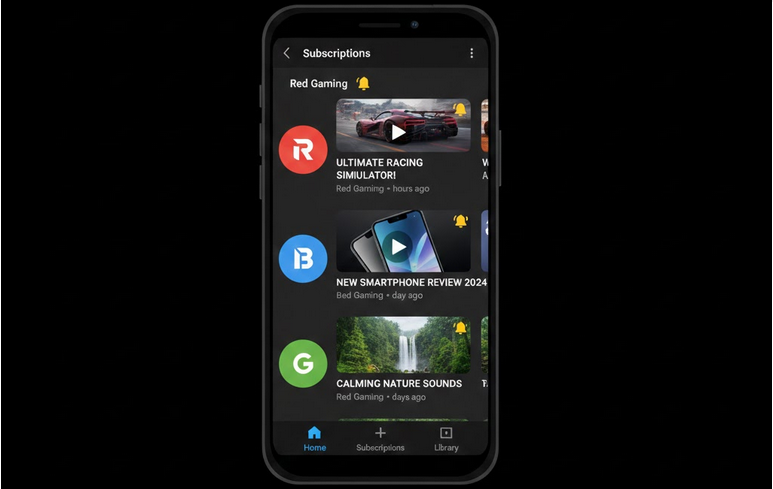
Subscriptions are the main component of your YouTube feed. All the videos and notifications that you get in your feed are somehow related to your subscriptions. With time, the list of your subscriptions will turn into a long list of channels that do not post anything there. Subscription management is the thing that makes your feed organized and relevant.
Why It Is Important to Organize Your Subscriptions
The amount of subscriptions is that thing that fills up your feed with useless videos. Valuable videos from your favorite channels get lost among the videos from the channels that you do not remember about. Taking some time to organize your subscriptions will bring only valuable videos to you.
Watching and Managing Your Subscriptions
- YouTube offers you a special page where you can manage your subscriptions.
- Go to Subscriptions: Sign in to your YouTube account and open the Subscriptions tab.
- See all Channels: Click Manage and you will see an alphabetical list of your subscriptions.
- Unsubscribe: Click on the Subscribed button next to the channel that you want to unsubscribe from and confirm your decision.
- Set Notifications: Set it to All notifications, Personalized or None for each subscription individually.
- Find Those Channels That Did Not Upload Anything for a Long Time: Unsubscribe from them since you do not need to subscribe to them anymore.
Settings of the Notification Bell
Notification bell next to each subscription allows you to set the notifications that you receive from this channel. Settings of your notification bell will help you to avoid the notification spam and not to miss anything from your favorite channels.
- All notifications: Notification about each video from this channel. The best setting for your favorites.
- Personalized: YouTube chooses what to notify you about. Default setting.
- None: No notifications from this channel. Videos from this channel will appear in your subscription feed unnoticed.
Subscription Management in YouTube Vanced
YouTube Vanced gives you an opportunity to manage your subscriptions in the same way as in the official application. Manage, organize and edit your subscriptions in YouTube Vanced. You will not see any ads that will distract you from watching your subscription feed with videos of your favorite channels.
All your subscription information will be synchronized with your Google account thanks to Vanced MicroG. All changes that you make in Vanced will affect your other devices where the same Google account is signed in.
Tips on How to Clean Your Subscription Feed
- Regular Cleanup: Check your subscriptions list at least once a month and unsubscribe from those channels that you do not watch anymore.
- Favorite Creators: Set All notifications for your top 10 channels in order not to receive too many notifications.
- Create Playlists: If you do not want to subscribe to some channel forever, add the certain videos only to the playlist.
- Activity: Unsubscribe from the channel if it did not upload anything for several months.
- Do not Subscribe Impulsively: Watch a couple of videos before subscribing to be sure that you want to subscribe to this channel.
Organize the Content in Playlists
Playlists are the great tool of content organization. Along with watching videos in your subscription feed, you can organize the content that you watch in different playlists. You can create separate playlists for music, studying, entertainment and news. In this way, you will have your own collection of content that will be available to you at any time regardless of the state of your main feed.
Who Will Find This Useful?
- Heavy Subscribers: People who are subscribed to hundreds of channels and need a clean feed.
- Notification Overload: Everyone who receives too many push notifications from YouTube.
- Focused Viewers: People who want to see only valuable content in their feed.
- Older Accounts: Accounts with lots of subscriptions collected over time and requiring cleanup.
Conclusion
Subscription management is a useful habit that greatly improves your viewing experience. Clean feed displays to you only that content that is valuable for you without any mess and noise. Watching your feed with YouTube Vanced will be even more pleasant.